Project credentials
- MIT Licensed
- Open Source
- TypeScript
What is Sequant
How It WorksAn AI coding workflow that turns your backlog into merge-ready pull requests: one issue or many, all in parallel. Each issue gets its own worktree, its own spec → exec → QA pipeline, and its own PR.
AI coding tools are remarkably capable. But capability without process means results vary: vague issues produce vague implementations, there's no formal review, and context drifts over long sessions. Sequant provides the discipline: a repeatable pipeline where every issue follows the same lifecycle. The PR arrives with evidence — each acceptance criterion checked against the code — and the merge is always yours.
Each phase runs in a fresh session inside an isolated worktree. No context drift, and code never touches main until gates pass.
AC adherence, type safety, security, scope, CI status, build verification, static analysis, and anti-pattern detection, checked automatically on every PR.
Run many issues simultaneously, each in its own worktree. Chain dependencies, resume failed runs, and process your backlog overnight.
What runs underneath
14 skills that guide each phase, from planning to merge
Pre-tool blocks secrets and unsafe commands. Post-tool formats and observes quality.
Tracks phase progress, metrics, and run logs. View with sequant dashboard or sequant stats
Plans, verdicts, and phase markers that carry context between sessions
Label-triggered and comment-triggered CI workflows via sequant-action
A Smarter Way to Code
2 Ways to Solve IssuesPoint it at an issue. Walk away. Come back to a finished PR — spec'd, built, tested, and QA'd.
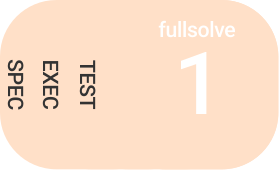
Stay in the loop. Run each phase — /spec, /exec, /test, /qa — with full control.
Skills
CommandsRun any skill by name in conversation, as a /slash command, or via npx sequant run. Not sure where to start? Try /assess.
Quality Loop
Automated IterationWhen tests fail, Sequant doesn't stop. It analyzes the failure, fixes the code, and retests — automatically. You review working code, not broken builds. The qa phase runs the 8 Quality Gates on every PR; the Quality Loop is the retry wrapper around it, re-running qa after each fix.
Or interactively: /loop 123. Built into /fullsolve by default.
Control retries with --max-iterations 5. Gate chains with --qa-gate.
for test failures
for QA issues
intervention
MCP Server
Universal AI IntegrationAny MCP-compatible AI tool can drive Sequant workflows — no custom integrations needed. Claude Desktop, Cursor, VS Code, Windsurf, and Zed all work out of the box.
- 1 Install Sequant in your project
- 2 Add the config snippet to your AI tool
- 3 Ask your AI to run Sequant workflows
 Claude Desktop
  Cursor
  VS Code
  Windsurf
  Zed
Zed // claude_desktop_config.json
{
"mcpServers": {
"sequant": {
"command": "npx",
"args": ["-y", "sequant", "mcp"]
}
}
}// .cursor/mcp.json
{
"mcpServers": {
"sequant": {
"command": "npx",
"args": ["-y", "sequant", "mcp"]
}
}
}// .vscode/settings.json
{
"mcp": {
"servers": {
"sequant": {
"command": "npx",
"args": ["-y", "sequant", "mcp"]
}
}
}
}If You're Building on Agent Frameworks
For BuildersEvaluating LangGraph, CrewAI, Mastra, or the Agent SDK for an issue-to-PR pipeline? Those give you the primitives. Sequant is the finished, hardened workflow you'd otherwise assemble on them — and every guarantee below is an invariant of the pipeline, not optional wiring you have to get right.
Every issue runs in its own git worktree on its own branch. Parallel runs never share a working directory, so one agent cannot overwrite another.
The pipeline stops at a pull request. Nothing reaches your default branch without you clicking merge — the gate is the product, not a config flag.
Eight quality gates run on every PR: acceptance criteria, type safety, security, scope, CI status, build, static analysis, and anti-pattern detection.
Phases write their results to the issue as they complete. A crashed or cancelled run resumes from the last finished phase instead of starting over.
The GitHub issue is the state store. Acceptance criteria, phase markers, and evidence live where your team already reads them — not in a private database.
Phases advance in a fixed order — spec, exec, test, qa — with bounded retries. The agent chooses the code, never the next step or when to stop.
Quick Start
Zero to First PRInstall
( 01 )Install the package, then scaffold your project.
Requires an AI coding agent (Claude Code or Aider) and GitHub CLI (gh auth login)
Assess
( 02 )Point it at one or many GitHub issues.
Analyzes your issues and recommends the right workflow — including npx sequant run flags like --chain, --sequential, and --quality-loop. Run reference →
Build
( 03 )Full pipeline, headless, or step by step.
Skills also work without slash commands — just describe what you need. Cheat sheet →
FAQ
Common Questions-
What is Sequant?
A CLI tool that adds structured workflows to AI coding agents. It orchestrates your sessions through defined phases — spec, exec, test, qa — with automated quality gates. Think of it as a workflow engine between your GitHub issues and your AI agent of choice.
-
How is this different from using Claude Code directly?
Claude Code is freeform conversation. Sequant adds structure: acceptance criteria extracted from issues, isolated git worktrees for safe experimentation, automated test iteration, and quality gates that verify code before merge. You get AI-written code with evidence you can check: every acceptance criterion verified against the code before you merge.
-
What are the prerequisites?
An AI coding agent (Claude Code or Aider), GitHub CLI (gh auth login), Git, and Node.js 22.13+. Optional: Chrome DevTools MCP server for browser-based testing, Semgrep for enhanced security scanning.
-
Does it work with existing projects?
Yes. Run npm i sequant && npx sequant init in any git repository. It auto-detects your stack (Node.js, Python, Rust, Go, Next.js, Astro, and more) and configures accordingly. The worktree-based workflow works with any git repository.
-
What happens if the quality loop can't fix something?
The loop has bounded retries — 3 for test failures, 2 for QA issues. If a fix requires architectural decisions or ambiguous requirements, it stops and hands off for manual review. You're never stuck in an infinite loop.
-
Is my code sent anywhere?
Sequant collects zero telemetry, analytics, or user data. The only external communication is GitHub CLI operations you initiate (reading issues, creating PRs). Your code stays local.
-
Does it work with other AI models?
Yes. Sequant 2.0 ships with an Aider backend (--agent aider) that supports GPT-4o, Gemini, DeepSeek, and local models. Claude Code remains the default, but you can use whichever agent fits your workflow. The MCP server (sequant serve) also lets any MCP-compatible client drive Sequant.
-
Can I customize the workflow?
Extensively. Add project-specific coding standards via a constitution file, create custom slash commands, configure phase selection (skip spec, skip test), set custom base branches, and adjust loop iteration limits. Customizations live in .sequant/settings.json and are never overwritten by updates.